Continuum Complete
Trial
Buy Now

Extruded Text

BCC Extruded Text is an OpenGL-accelerated 3D text generator with built-in 3D shatters and a warp deformer. Multiple 3D materials can be created from external image files featuring texture and bump maps as well as reflections. Each material can be individually saved as a preset and applied to the front, back, bevel, or extrusion surface of the text object. The text object can be further deformed and animated with a number of innovative deformers such as Bend, Taper, Twist, Shatter, Ripple, Pulse, or Curl.

Type-On Text

The BCC Type-On Text filter can animate 3D extruded text in true 3D space in a type-on or type-off fashion with each letter precisely interacting with the rest of the text in 3D.

Extruded Spline

This filter uses state-of-the-art OpenGL technology to generate and extrude built-in primitives such as a medallion or heart. Create 3D extruded objects fully-modeled with bevels and spline-based extrusion profiles.

Layer Deformer

BCC Layer Deformer generates 3D shapes such as planes, cubes, spheres, and cylinders and deforms them using built-in vertex and pixel shaders. Create a bulging cube that shatters into a million pieces or use any image or video clip from the timeline to add textures or reflection maps to a rippling plane shape.

Extruded EPS

The BCC Extruded EPS filter provides an easy way to import and extrude Adobe Illustrator layered vector logos and graphics in Sony Vegas Pro.

Professional Chroma Key Compositing

Professional Chroma Key Compositing

BCC 7 for Vegas Pro facilitates the creation of precise keys with a minimal amount of adjustment. The chroma key filters allow you to control background filtering or matting, edge softening and refinement, and light wrapping and reflections to produce seamless composites.

PixelChooser Technology

PixelChooser Technology

The Boris PixelChooser masking system is built in to most BCC 7 for Vegas Pro filters giving you ultimate control by allowing you to selectively apply BCC filters to video via region or channel-based mattes.

Automated Motion Tracking

Automated Motion Tracking

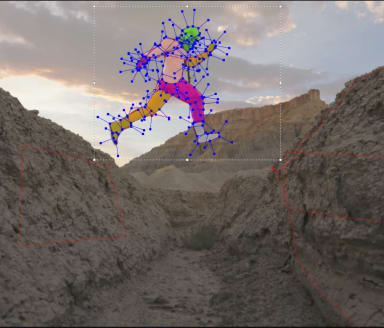
Most BCC for Vegas Pro filters include a built-in motion tracker which can be used to control the position of the PixelChooser mask or matte or to position the light source of a Light effect. For example, you can attach a light to a moving object in one easy step. In addition, BCC for Vegas Pro includes powerful, specialized filters that allow you to recover motion data from a clip and then use the data to apply effects. For example, BCC Witness Protection allows you to track a logo on a t-shirt and apply a blur to obscure the logo. Mosaic, tint, or brightness/contrast effects could also be applied to the specified area.

High-quality Image Restoration Tools

High-quality Image Restoration Tools
BCC Noise Reduction. Click on the image to view a larger version.

BCC for Vegas Pro includes tools for smoothing and softening skin imperfections and removing jaggies, DV compression artifacts, and unwanted noise from image clips.

Popular Film Effects

Popular Film Effects
BCC Film Process and BCC Film Damage. Click on the image to view a larger version.

Popular Film Effects include Film Process, Glow, Match Grain, and Film Damage, allowing you to create the warm organic look of film in seconds.

Dazzling Light Effects

Dazzling Light Effects
BCC Edge Lighting with Drop Shadow - in Compare Mode. Click on the image to view a larger version.

Dazzling Light Effects include Rays, Glints, Glitters, Lens Flares, and Lightning, allowing you to create just the right mood for titling effects and animated backgrounds.

Painterly Effects

Painterly Effects
BCC Cartoon Look. Click on the image to view a larger version.

Painterly Effects simulate pencil-sketched images, the wash look of a water color painting, a rotoscope toon-animation look, and charcoal drawings.

Realistic In-Camera Effects

Realistic In-Camera Effects
BCC Swish Pan. Click on the image to view a larger version.

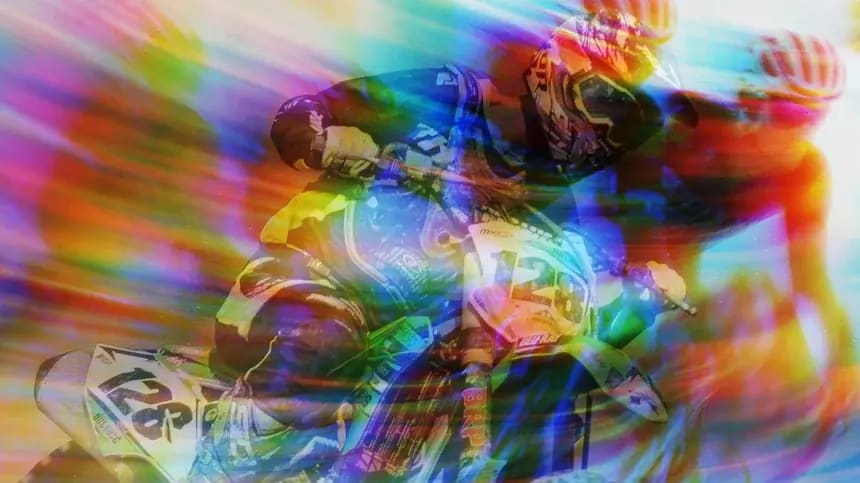
Realistic In-Camera Effects include Lens Blur for emulating a rack defocus effect where out-of-focus highlights of an image clip take on the shape of the lens shutter and Swish Pan for creating the look of a fast blur between outgoing and the incoming clips.

Stylized Effects

Stylized Effects
BCC Damaged TV with a Colorize Glow on top. Click on the image to view a larger version.

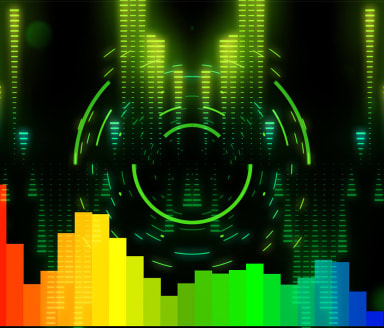
Stylized Effects include LED, Damaged TV, Tile Mosaic, Prism, and Halftone.

Thousands of Customizable Presets

Thousands of customizable presets provide a broad selection of pre-built effects. Presets can be saved and shared with other editors - even across host applications and platforms.

Optical Stabilizer

BCC Optical Stabilizer analyzes a shaky clip and adjusts the track's position to compensate. Unlike other stabilizing tools, this filter does not require point trackers. This allows you to stabilize images where tracking data is unreliable. You can also stabilize just a portion of a track to correct isolated camera bumps.

Interactive Effects Design Experience

Every filter is either OpenGL-based or multiprocessor-accelerated for ultimate rendering speed.