Your Account
avid filters

What was new in Continuum Complete AVX 4

Version 4 offered major improvements to the award-winning BCC AVX version 3 by building on core technologies such as Optical Flow, OpenGL and motion tracking.

Revised Pixelchooser Spline Masks Motion Key
Corner Pin Filter Optical Stabilizer
3D Extruded Image Shatter Lighting Filters Update
Halftone Filter Color Match Filter
Median Filter 16 Bit Processing
   

Revised Pixelchooser Spline Masks with Advanced Keyframing

Advanced Keyframing

All BCC AVX filters that include the PixelChooser feature have been revised to incorporate Avid's Advanced Keyframing technology, which enables the use of bezier (and other) interpolation between keyframes for smooth motion and other effects.


Corner Pin Filter

Corner Pin Filter

The Corner Pin filter lets Avid users map media to a moving object using perspective distortion to a clip. A four point motion tracker automatically pins a clip onto a specific region of another clip.

see it in action


3D Extruded Image Shatter

Extruded Image Shatter

The OpenGL-based 3D Extruded Image Shatter filter shatters a clip into three-dimensional particles with adjustable extrusions. The filter provides a variety of explosion, velocity and gravity and auto-animates by default, although you manually animate it for precise control.

see it in action


Halftone Filter

Halftone Filter

The Halftone filter simulates the look of traditional offset printed material by converting the image to simulated halftone dots.

see it in action


Median Filter

Median Filter

The Median filter creates painterly brush style effect by making each pixel look like the majority of its neighboring pixels.

see it in action


Motion Key

Motion Key

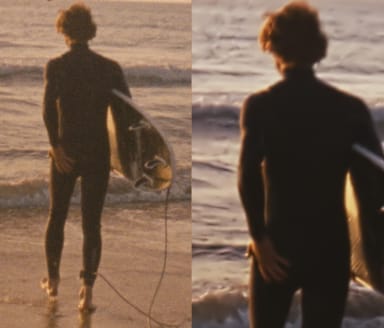
The Motion Key filter is based on proprietary optical flow technology first introduced in BCC AVX's Optical Flow and Motion Blur filters. The Motion Key isolates and removes moving foreground objects from a clip without the need for complex masking or cloning.


Optical Stabilizer

Optical Stabilizer

The Optical Stabilizer uses optical flow technology to analyze a shaky clip and then adjusts the track's position to compensate. Unlike many stabilizing tools, the BCC Optical Stabilizer does not require you to set user-defined tracking points. This allows Avid Editors to stabilize images where tracking data is unreliable.You can also stabilize just a portion of a track to correct isolated camera bumps.

Unlike many stabilize effects which only takes horizontal and vertical movement into consideration, the BCC Optical Stabilizer allows Avid users to take motion, rotation and scaling into account when stabilizing.

see it in action


OpenGL Lighting Filters Now Emanate from Alpha Channels

OpenGL Lighting Filters

Avid Editors can now apply the BCC Glint, Glare and Glitter filters to an Avid title or matte and the light emanates from the text. In previous versions the light was constrained to fill the text.


Color Match Filter

Color Match

The Color Match filter quickly matches the color and luma values from the highlight, midtone and shadow areas of two separate clips.

see it in action


16 Bit Processing

16 Bit Color

Most BCC AVX 4 filters feature the option of processing in either 8 bit or 16 bit color for the highest quality result.

Continuum Complete AVX
Home
Download the Trial Version
Filter Image Gallery
Filter Movie Gallery
Reasons to Upgrade
Sample Movie
Filter List
What was new in BCC4
Classic Features
Real-Time Filters
Animated Demos
Continuum Compatibility
Compare Boris Products
Training DVD
Purchasing Options
Buy Online
Sales 888.772.6747
Domestic Resellers
International Resellers

Contact Us
888.772.6747
703.462.1640
Support Form