l
 

New Features for Premiere Pro Users

With a total of almost 200 filter effects and transitions divided into 10 categories, BCC 6 AE adds many new features and improvements including:

*Some filters may not operate as expected in Premiere Pro however they will operate as expected within After Effects. We are currently working with Adobe to find a solution for this problem.


14 New Filters

Type-On Text

BCC 6 AE has 14 new filters ranging from realistic 3D vector graphics extrusions to organic 3D deformers to painting and image restoration. The new 3D Objects category includes Extruded Text, Extruded Spline, Type-On Text, and Layer Deformer. New image restoration filters include DV Fixer, Smooth Tone, and Pixel Fixer. New image painting filters consist of Charcoal Sketch, Pencil Sketch, Water Color, and Cartoon Look. New OpenGL filters include Lightning and Tile Mosaic.

Check out all the new filters »


Import AE mask paths into BCC filters

Imported AE mask paths in new filters

From 3D text on a path to custom bevel profiles and extruded spline objects, AE masks can now be used to control the geometry of BCC 6 AE filters. Now there is no need to learn a custom user interface or switch to a different application to adjust spline shapes. Take advantage of AE's familiar mask tools for all of your custom spline work. Additionally, all BCC 6 AE filters feature the ability to load custom AE spline masks into BCC's built-in PixelChooser matte and masking system for ultimate control over the filtered result.


Custom Animated Presets in XML Format

Custom Animated Presets in XML Format

This unique feature lets you save and re-use every parameter animation in every BCC filter - even across host applications and platforms. BCC 6 AE includes 1000+ factory-installed animated presets. Animated presets are now saved in an industry-standard XML format so that they can be viewed and edited by any XML-compliant text editor.


Single-Click Custom Preset Navigation Tool

Single-Click Custom Preset Navigation Tool

Easily browse presets without opening a pop-up box. Both static and animated presets are immediately applied and the host preview window is automatically updated to reflect the selected preset. Over 1500 factory-installed, user-modifiable presets are included with BCC 6 AE.


Enhancements to the Built-In Motion Tracker

Enhancements to the Built-In Motion Tracker

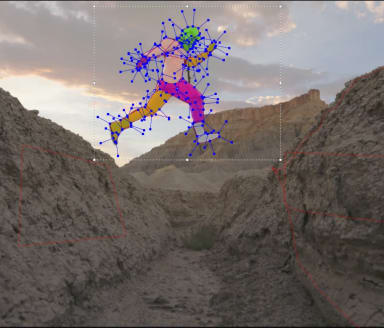
We have added enhancements to the Built-In Motion Tracker found in almost every filter in the set. You may now save motion tracker data from one BCC filter and load the saved data in another BCC filter or in Premiere Pro itself.

Enhancements to the Built-In Motion Tracker

With the newly-integrated XML data format for presets, saved Motion Tracker data from any filter in the BCC 6 set can be edited in any standard text or spreadsheet editor that supports .xml data.


Significant performance gains

Significant performance gains are included in BCC 6. Every BCC 6 filter is either OpenGL-based or multiprocessor accelerated for ultimate rendering speed on modern computing and graphics platforms.

Mac Intel Users
 
BCC 5
BCC 6
5 - 6
Filter Name
Preset name
Time in seconds
Time in seconds
% Speed gain
Chroma key
blueScreen
347
269
129
Film Process
bleachBypass
2187
669
326
Optical Flow
halfspeed
658
481
136
Noise Map 2
Big Feedback
658
368
179
Median
Tron_Look
5580
1061
526
Motion Blur
Extreme Motion Smear
2103
867
243
Clouds
dusk
1427
398
359

Win XP Users
 
BCC 5
BCC 6
5 - 6
Filter Name
Preset name
Time in seconds
Time in seconds
% Speed gain
Chroma key
blueScreen
710
536
133
Film Process
bleachBypass
3780
1882
201
Optical Flow
halfspeed
1153
810
142
Noise Map 2
Big Feedback
1362
703
194
Median
Tron_Look
11460
7560
152
Motion Blur
Extreme Motion Smear
4440
3098
143
Clouds
dusk
3053
1661
184
Purchasing Options
 
Newsletter Sign Up
Enter your email address below to receive tutorials and free goodies!

 
Copyright© 1998-2010 Artel Software, Inc. All Rights Reserved l Site Map
Order by Phone at 888-77-BORIS (772-6747) Outside North America +1-508-573-5100